




.svg&w=240)


















MES3-EAP1-AI Mitsubishi Energy measuring Application Software
Request a Quote



Quick facts
| Availability | Confirmed on request |
| Category | Mitsubishi Energy measuring – Application Software |
| Lifecycle | Active |
| Warranty | 12-month (new) · 3-month (used/refurbished) |
Shipping & availability
When can MES3-EAP1-AI be shipped?
MES3-EAP1-AI is sourced on request — request a quote and we'll confirm the exact availability and shipping timeline for this specific unit.
Can I pick up MES3-EAP1-AI in person?
Local pickup from our Groningen, Netherlands warehouse may be possible — contact us before ordering to check availability and arrange a collection time.
Is express delivery available?
Yes — mention it when you request a quote for MES3-EAP1-AI and we'll include express shipping options in our reply.
My factory is down and I need this urgently — can you help?
For a critical breakdown, contact us directly at +31 (0)50-7110348 or sales@partnerplc.com — we can look into same-day courier or dedicated taxi/hotshot delivery for MES3-EAP1-AI, subject to availability and destination.
The Mitsubishi Electric MES3-EAP1-AI is a application Software in the Energy measuring. Energy saving data analysis and diagnosis software Equipped with the AI technology of Mitsubishi Electric “Maisart”, the system provides total support for energy saving activities from understanding the current condition, identification/factor diagnosis of energy-losses to effect verification of energy saving measures. Specifications and manuals below are Mitsubishi Electric's own data.
Specifications
Product
| Series | Energy measuring |
| Outline | Energy saving data analysis and diagnosis software Equipped with the AI technology of Mitsubishi Electric “Maisart”, the system provides total support for energy saving activities from understanding the current condition, identification/factor diagnosis of energy-losses to effect verification of energy saving measures. |
Specifications
| Category | Energy Saving Supporting Devices |
| Group | Application Software |
| Model | Energy Saving Support Software EcoAdviser |
| Product name | Energy saving data analysis and diagnosis software |
| Model name | MES3-EAP1-AI |
| Measuring point settings: Register collection source | Register a collection source and its measuring points. |
| Measuring point settings: Register collection source: Collection source | EcoWebServerⅢ, PLC, Edgecross |
| Measuring point settings: Register collection source: Number of collection sources | MAX. 40 units |
| Measuring point settings: Register collection source: Number of measuring points | MAX. 11360 points [EcoWebServerⅢ] MAX.255 points per unit [EcoWebServerⅢ(with demand control function)] Demand period (15 minutes): Max. 284 points per unit Demand period (30 minutes): Max. 282 points per unit Demand period (60 minutes): Max. 280 points per unit [PLC] Max. 256 points per unit Data type: BIT, SHORT, USHORT, LONG, ULONG, FLOAT, DOUBLE [Edgecross] Max. 256 points per unit Data type: |
| Measuring point settings: Register manual input measuring point | Register a measuring point other than collection sources. |
| Measuring point settings: Register product type time period measuring point | Register a measuring points to extract data of one product from multiple types of products. |
| Measuring point settings: Register product type time period measuring point: Measuring value point Time period measuring point | Select from collection sources’ measuring points or manual input measuring points. |
| Measuring point settings: Register calculation measuring point | Register a measuring point to calculate measuring points with each other. |
| Measuring point settings: Register calculation measuring point: Available measuring point | Select from collection sources’ measuring points, manual input measuring points, or product type time period measuring points. ∙ Max. 200 points can be registered per calculation formula. ∙ Max. 4000 letters can be used per calculation formula. |
| Measuring point settings: Register specific consumption measuring point | Register a measuring point to calculate specific consumption. |
| Measuring point settings: Register specific consumption measuring point: Energy measuring point Production number measuring point | Select from collection sources’ measuring points, manual input measuring points, product type time period measuring points, or calculation measuring points. |
| Graph function: Analysis method (Graph type) | Select from time series chart, box plot, pie chart, scatter plot, histogram, or pareto chart. |
| Graph function: Display interval | Select from hourly, daily, monthly, or yearly. * For an analysis method of box plot, this is set to hourly. |
| Dashboard function: Dashboard creation | Create a dashboard with graph and measuring point data panels arranged. |
| Dashboard function: Dashboard creation: Available panel | Graph panel (created with graph function) Diagnosis panel (graph/table of diagnosis result) Numeric panel (collected measuring point data) Image panel (image file) |
| Dashboard function: Display mode | Display the created dashboard on EcoAdviser. |
| Dashboard function: Display settings: Auto-update | Set the automatic update of graphs and measuring point data. |
| Dashboard function: Display settings: Tab display | Set the display of the tab for sheet switching. |
| Dashboard function: Display settings: Auto-switch | Set the automatic switching of the sheet at regular intervals. |
| Dashboard function: HTML output | Output the created dashboard to the HTML file. |
| Report function: Format | Set up the report format. |
| Report function: Format: Saving number of report settings | Max. 24 report settings (In one setting, output items of daily, monthly, and annual report are saved.) |
| Report function: Format: Number of output items | Daily report : Max. 320 items, 16 items per sheet × 20 sheets Monthly report : Max. 320 items, 16 items per sheet × 20 sheets Annual report : Max. 320 items, 16 items per sheet × 20 sheets |
| Report function: Format: Output item | Select from collection sources’ measuring points, manual input measuring points, product type time period measuring points, calculation measuring points, or specific consumption measuring points. |
| Report function: Report creation: Daily report | Create the daily report of a specified day and save it in the Excel format. |
| Report function: Report creation: Monthly report | Create the monthly report of a specified month and save it in the Excel format. |
| Report function: Report creation: Annual report | Create the annual report of a specified year and save it in the Excel format. |
| Report function: Automatic report output settings | Set the automatic output of reports. |
| Report function: Automatic report output settings: Automatic output time | Set the time of automatic output of reports. |
| Data collection function: File collection settings | Collect the logging files stored in the collection sources. |
| Data collection function: Collection source: EcoWebServerⅢ | Zoom (1 min.) data file, Demand (daily) data file |
| Data collection function: Collection source: Edgecross | Historical data file |
| Data collection function: Collection source: PLC | PLC data logging files |
| Data collection function: Automatic collection settings | Set the data collection for each file type. |
| Data collection function: Automatic collection settings: Automatic collection timing | EcoWebServerⅢ : Collection time specified by the user PLC : User-Specified Collection Period Edgecross : Collection period specified by the user |
| Data collection function: Automatic collection settings: Collection period | Set the collection period on daily/monthly/annual basis. |
| Data collection function: Retention period | Set the retention period for each file type. 15/30/60-minute basis data: 2 to 10 years (Default: 10 years) Daily basis data: 2 to 10 years (Default: 10 years) Monthly basis data: 2 to 10 years (Default: 10 years) Annual basis data: 2 to 10 years (Default: 10 years) Diagnosis data: 2 to 10 years (Default: 10 years) Diagnosis source data: 62 days |
| Data input function: Data input | Input 15/30/60-minute basis data of each measuring point for a user-specified period. Max. 256 measuring points can be selected simultaneously. Specified period: Max. 31 days |
| Data input function: Export | Output 15-min/30-min/60-min/24-hour basis data of each measuring point for a user-specified period to the Excel file. |
| Data input function: Import | Input 15-min/30-min/60-min/24-hour basis data of each measuring point based on the imported Excel file. |
| Calculation function: Available measuring point | Select from product type time period measuring points, calculation measuring points, or specific consumption measuring points. * Max. 256 measuring points can be selected at one time. |
| Calculation function: Automatic calculation | Automatically calculate measuring point data. |
| Calculation function: Automatic calculation: Available measuring point | Select from product type time period measuring points, calculation measuring poins, or specific consumption measuring points. |
| Data output function: Data output | Output the collected measuring point data, which is saved in the file. |
| Data output function: Auto output settings for data file | Set the automatic output of data files. |
| Data output function: Auto output settings for data file: Output measuring point | Select from measuring points, manual input measuring points, product type time period measuring points, calculation measuring points, or specific consumption measuring points. |
| Maintenance function: Backup | Back up the setting values and data to the folder |
| Maintenance function: Restore | Restore the setting values and data backed up from the specified folder |
| Diagnosis settings: Equipment setting | Register the equipment information for energy-loss diagnosis |
| Diagnosis settings: Energy-loss factor setting | Set the energy-loss factor for equipment |
| Diagnosis settings: Calculation measuring point for diagnosis setting | Set the calculation measuring point for energy-loss diagnosis. |
| Diagnosis settings: Calculation measuring point for diagnosis setting: Available measuring point | Select from measuring points. *Demand measuring points are excluded. |
| Diagnosis settings: Electricity rate setting | Set the currency unit and electricity rate per 1 kWh to convert energy consumption into the amount for diagnosis. |
| Diagnosis function: Energy-loss diagnosis | Diagnose the following two items for equipment. |
| Diagnosis function: Energy-loss diagnosis: Energy-loss extraction | Extract energy-loss on the five focusing points for energy saving or the standby power for each equipment to rank in order of energy-loss. |
| Diagnosis function: Energy-loss diagnosis: Energy-loss factor diagnosis | Diagnose energy-loss factors for any points for energy saving of any equipment. |
| Diagnosis function: Improvement result check | Compare the data of two periods to check the effect of energy saving improvement activities. |
| Diagnosis function: Automatic diagnosis | Execute automatic diagnosis of energy-loss and its factor. |
| Diagnosis function: Diagnosis panel | Save the graph ot table of energy-loss extraction or energy-loss factor diagnosis result. |
| PC’s Operation Environment: OS | Microsoft Windows 10 Pro/Enterprise/IoT Enterprise (64-bit) Microsoft Windows 11 Pro/Enterprise (64bit) |
| PC’s Operation Environment: Language version | Japanese, English, Simplified Chinese |
| PC’s Operation Environment: CPU | Intel Core TM i5-8500 or more (recommended) |
| PC’s Operation Environment: Memory | 8GB or more |
| PC’s Operation Environment: Hard disk | Software: 4GB or more Data: 50GB or more *1 |
| PC’s Operation Environment: LAN | 10/100/1000BASE-T×1 |
| PC’s Operation Environment: Spreadsheet *2 | Microsoft Excel 2021 (64bit) Microsoft Excel 2024 (64bit) |
| PC’s Operation Environment: Display resolution | 1024×768 pixels or more |
| PC’s Operation Environment: Input device | A mouse and keyboard |
Downloads & documentation
Official documents from Mitsubishi Electric (Factory Automation), downloaded directly from the manufacturer.
Data sheets & manuals
More Mitsubishi Electric (Factory Automation) parts
 Available on requestMES3-255C-CN Mitsubishi Energy measuring Energy Saving Data Collecting Server
 Available on requestMES3-255C-DM-CN Mitsubishi Energy measuring Energy Saving Data Collecting Server
 Available on requestMES3-255C-DM-EN Mitsubishi Energy measuring Energy Saving Data Collecting Server
 Available on requestMES3-255C-EN Mitsubishi Energy measuring Energy Saving Data Collecting Server
 Available on requestMES3-EAP1-DA Mitsubishi Energy measuring Application Software
 Available on requestMES3-SW1-DR-FR Mitsubishi Energy measuring Application Software
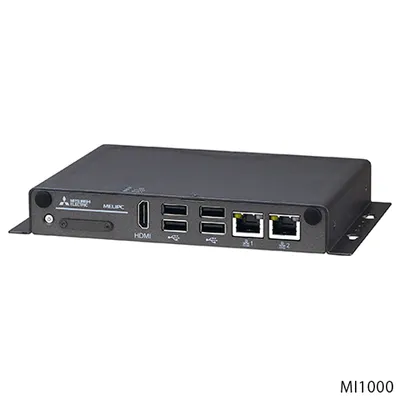 Available on requestMI1002-W Mitsubishi MELIPCAvailable on requestMI1002-W-CL Mitsubishi MELIPC